Your machines, your queue
A VPS, an office box, a laptop. The worker takes the job the moment you press deploy, because nobody else is in front of you.
Built for developers · test and production
Deploy from Git to Cloudflare, Docker Compose, Dockerfiles or native systemd services on Linux. Each worker brings its own platform applications: install PostgreSQL, Redis and more, follow deployments and share access with your team from one dashboard.
Public URLs depend on the deployment target. Use Cloudflare URLs, configured domains or ngrok tunnels for local previews.
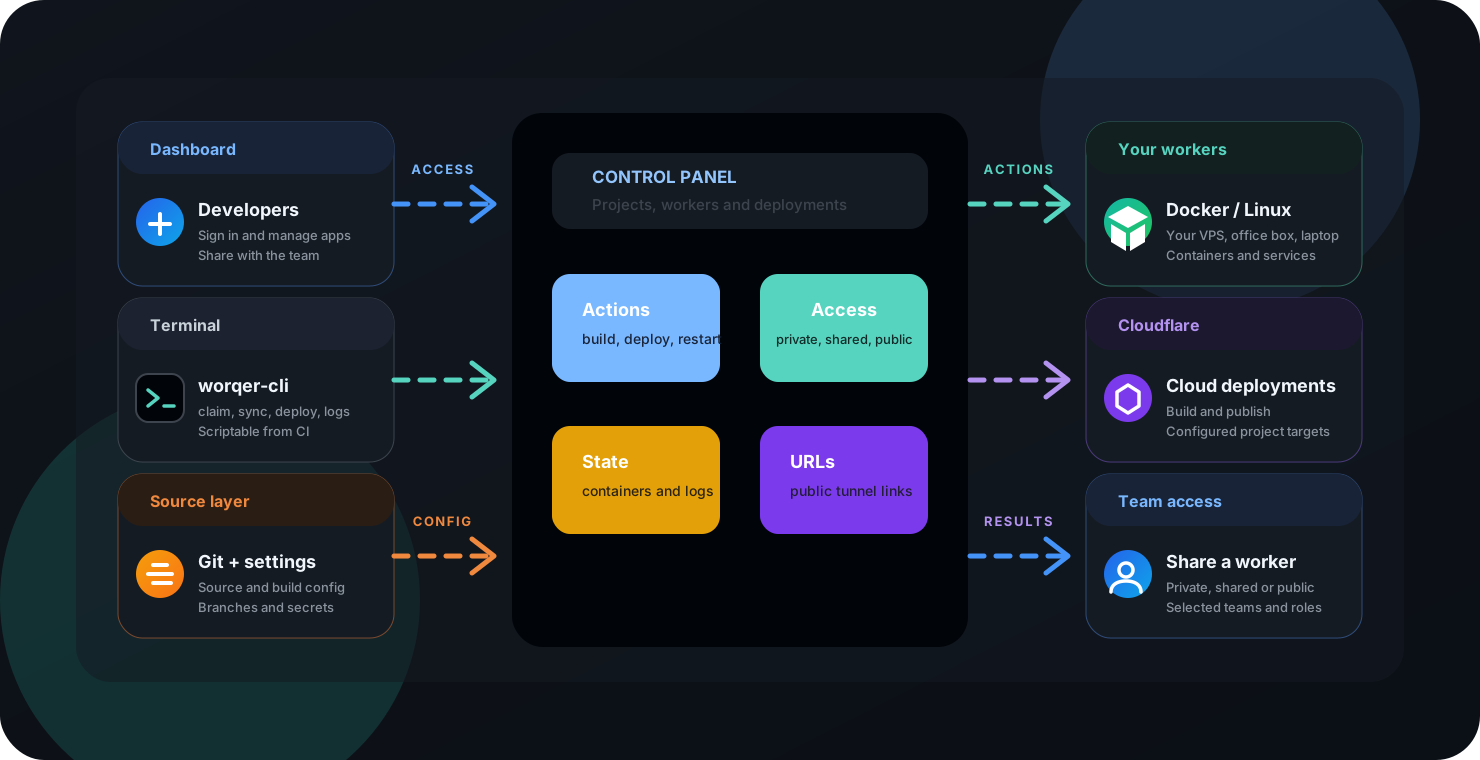
Platform architecture
Connect your own workers, deploy containers or native Linux services, and publish applications to Cloudflare. The panel coordinates authentication, jobs, team permissions, projects and runtime status. Hosting and cloud provider charges depend on the infrastructure you choose.
Built on tools you already trust
Self-hosted execution
worqer runs on machines you own. Configure your build and deployment commands on your worker. There are no platform build minutes to buy; source hosting, external APIs and cloud availability still depend on their providers.
Deploy your first workerA VPS, an office box, a laptop. The worker takes the job the moment you press deploy, because nobody else is in front of you.
Gitea and Forgejo are in the catalog. Both speak the Actions workflow syntax, so the pipelines you already wrote have somewhere to run that you control.
Apache Airflow is in the catalog too, with its database wired up. For the work that runs on a schedule, retries, and has to explain itself later.
Plain Docker Compose and Dockerfiles on hosts you already administer. Nothing here holds your deployments hostage, including us.
Move from repository URL to running service with a guided path for branches, build settings, environment values, and target workers.
Keep execution on VPS hosts, office machines, or lab boxes while the panel gives you status, capacity, runtime details, and cleanup controls.
Give teammates exactly what they need to deploy: the repo, the credential, the worker, or the whole workspace surface.
Share a worker and a teammate deploys to it without touching your server. Mix a laptop, an office box and a production VPS in the same workspace — then ship to one of them, or to all of them at once, in seconds.
Publish supported applications with Cloudflare URLs or configured domains. Use ngrok tunnels to share local environments where tunneling is configured.
Deploy PostgreSQL, MySQL, Redis, MongoDB, Supabase and more on your own worker. Configure access and choose where the data lives; hosting costs remain with your provider.
What people run on it
Deploy from the application catalog or bring your own Dockerfile or Compose stack. Choose Linux systemd for native services, or Cloudflare for supported web applications.
Configure and deploy from the catalog.
Configure and deploy from the catalog.
Configure and deploy from the catalog.
Configure and deploy from the catalog.
Configure and deploy from the catalog.
Configure and deploy from the catalog.
Configure and deploy from the catalog.
Configure and deploy from the catalog.
Configure and deploy from the catalog.
Configure and deploy from the catalog.
Configure and deploy from the catalog.
Configure and deploy from the catalog.
Configure and deploy from the catalog.
Configure and deploy from the catalog.
Configure and deploy from the catalog.
Configure and deploy from the catalog.
Configure and deploy from the catalog.
Configure and deploy from the catalog.
Configure and deploy from the catalog.
Configure and deploy from the catalog.
Configure and deploy from the catalog.
Configure and deploy from the catalog.
Configure and deploy from the catalog.
Configure and deploy from the catalog.
Configure and deploy from the catalog.
Configure and deploy from the catalog.
Configure and deploy from the catalog.
Configure and deploy from the catalog.
Configure and deploy from the catalog.
Configure and deploy from the catalog.
Configure and deploy from the catalog.
Configure and deploy from the catalog.
Configure and deploy from the catalog.
Configure and deploy from the catalog.
Configure and deploy from the catalog.
Configure and deploy from the catalog.
Configure and deploy from the catalog.
Configure and deploy from the catalog.
Configure and deploy from the catalog.
Configure and deploy from the catalog.
Configure and deploy from the catalog.
Configure and deploy from the catalog.
Configure and deploy from the catalog.
Configure and deploy from the catalog.
Configure and deploy from the catalog.
Configure and deploy from the catalog.
Configure and deploy from the catalog.
Configure and deploy from the catalog.
Configure and deploy from the catalog.
Configure and deploy from the catalog.
Built for agents too
worqer-cli is a plain command-line tool with predictable output, so a coding agent can drive it the same way you would. Point Claude Code, Cursor or your own script at it and deploying becomes a step in the task rather than something a human stops to do.
From idea to live service
Each action becomes a trackable job with a worker, status, owner, and timestamp, so releases feel coordinated instead of improvised.
The cockpit view
The interface keeps workers, repositories, credentials, commands, container logs, and public URLs in one place so deployment feels calm and legible.
Illustration of a delivery workflow. Tests and environment promotion depend on your build commands and external orchestration; worqer does not create this pipeline automatically.
claim mexica-worker connected - Privatecredential github-main shared with operatorssync cardanfx/api -> branch maindeploy compose web:3000 on mexica-workerlogs container healthy - restart and commands readyurl preview tunnel publishedWatch releases move from queued work to running services with the signals operators actually need.
Documentation
Open the documentation hub for the architecture, worker setup, and the repository-to-deployment workflow.
Understand the API, PostgreSQL storage, Firebase authentication, workers, Cloudflare deployments and team access.
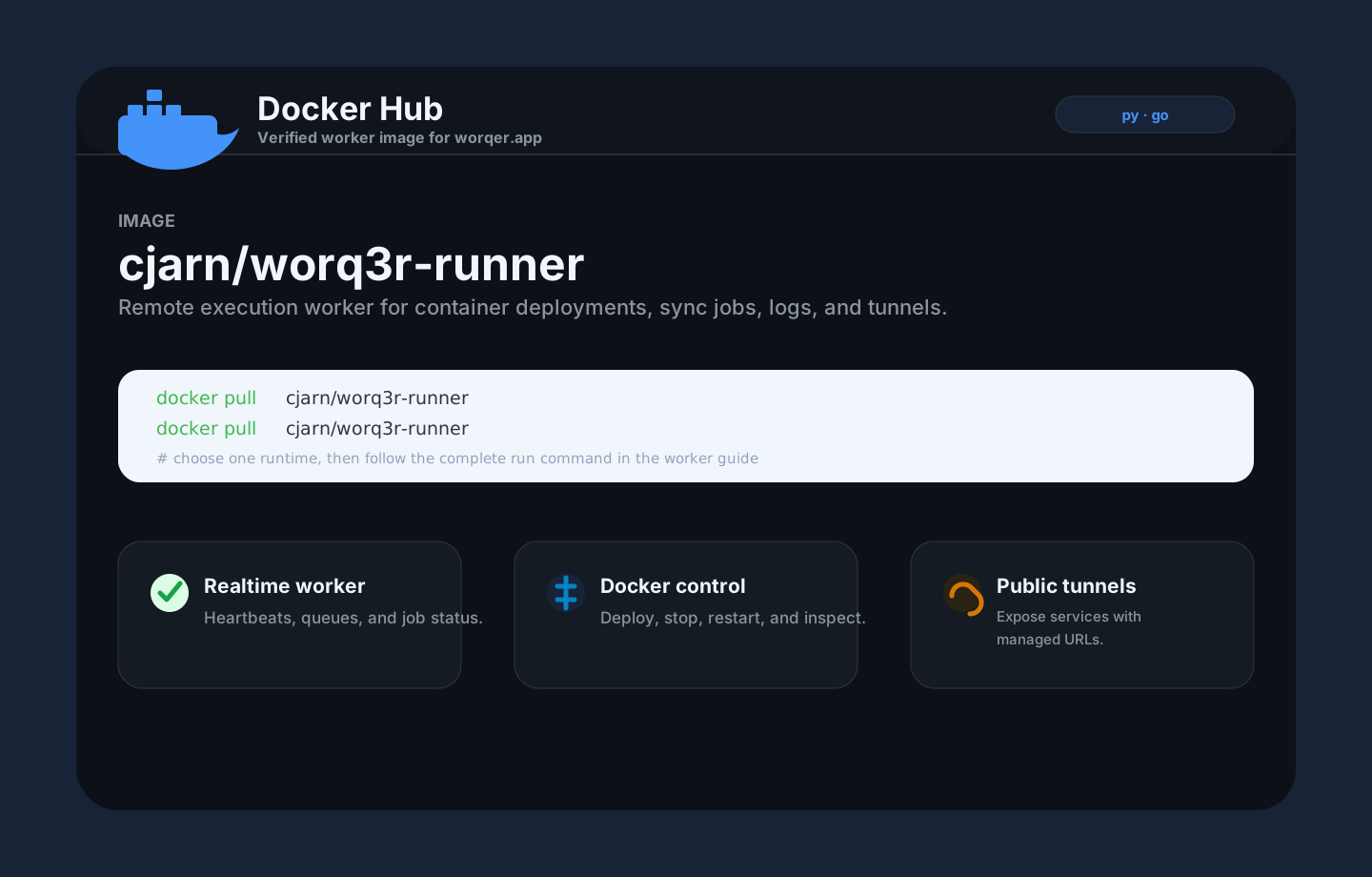
02Install the worker on Linux or run its Docker image, complete device authorization and connect it to your workspace.
03Add credentials, register a repository, sync branches, select a worker, and launch the service.
Start now
Sign in with email or Google, claim your first worker, and turn a repository into a running service from the dashboard.